Research in Global Protocol is the Knowledge Network: ten branches of national doctrine with five tiers each. At every tier you choose one of three doctrines and give up the other two for the rest of the campaign. Your picks set long-term bonuses and penalties, and completed tiers unlock buildings, missiles, laws and satellites.
Where to find it
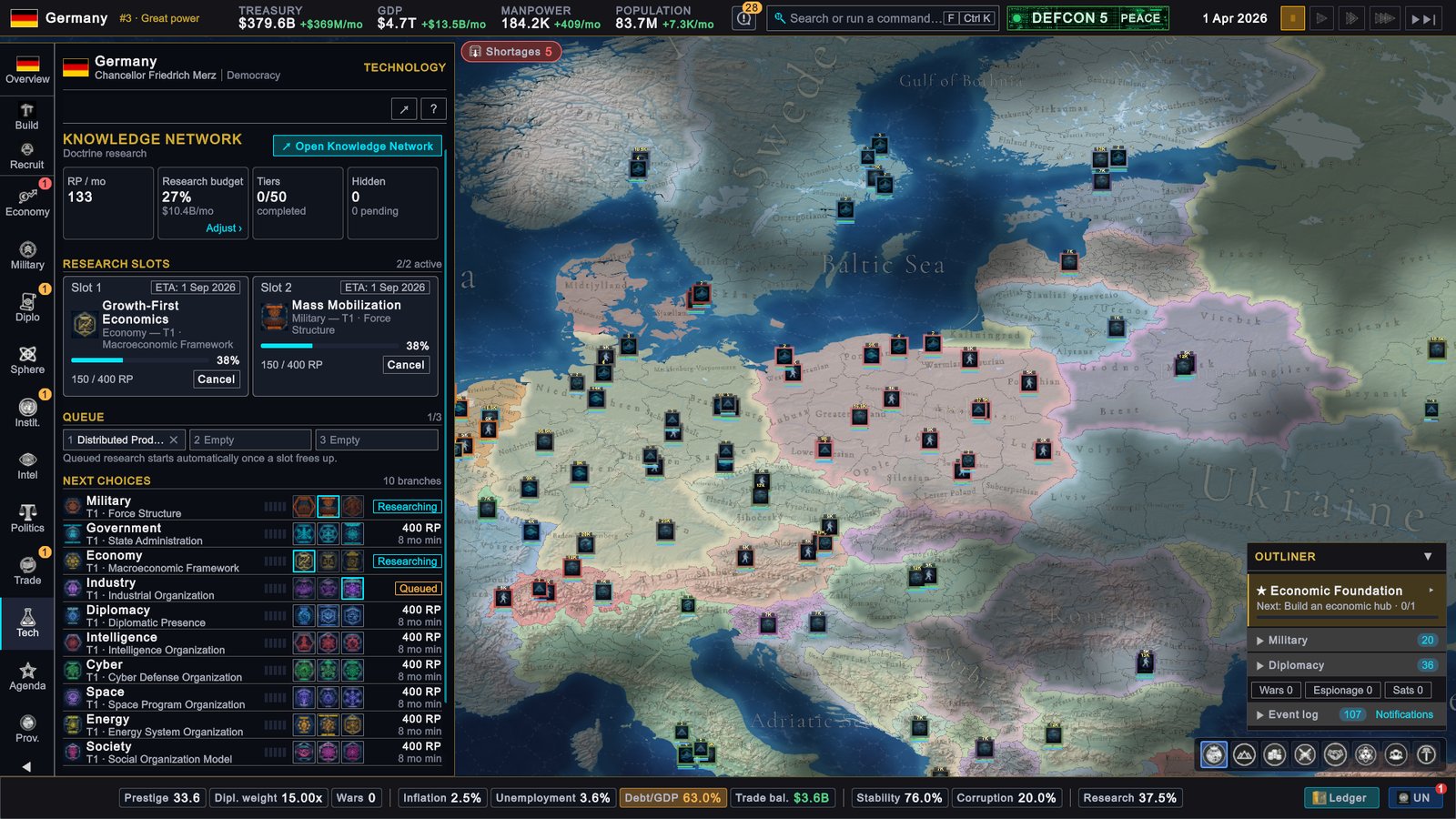
- Click Tech on the rail to open the Technology page (T by default). It is the research summary: your research points, the two slots, the queue and the next choice in each branch.
- Open Knowledge Network at the top of that page opens the full-screen workspace with every branch, tier and doctrine.
- When a Hidden Insight is waiting, a banner on the Technology page says so. Click it to choose.
How it works
Branches, tiers and picks
The ten branches are Military, Government, Economy, Industry, Diplomacy, Intelligence, Cyber, Space, Energy and Society. Each tier of a branch asks one question and offers three doctrines as answers. Military tier 1, Force Structure, asks how the armed forces should be structured and offers Professional Armed Forces, Mass Mobilization and Hybrid Force.
Every doctrine is a trade. Its card lists what it improves and what it worsens, and most cards do both. The effects of every doctrine you complete add up for as long as the campaign lasts.
Tiers go in order inside a branch: tier 2 stays locked (Complete Tier 1 first) until tier 1 is done. In the standard game every country starts with no tiers completed. Scenarios from mods can start countries further along.
What a pick locks
Before research starts, the game asks you to confirm, and lists the two doctrines you are giving up. While the tier is still being researched you can press Cancel on its slot: the progress is lost and the tier is open again. Once the tier completes, your doctrine is marked Chosen, the other two are Rejected, and nothing reverses it.
What tiers unlock
Completing a tier counts whichever doctrine you picked. Some things need a tier in a given branch:
- Many buildings need Industry tier 1, 2 or 3.
- Missile types need Military tier 2, 3 or 4.
- Satellite launches need Space tier 2.
- The Intelligence Headquarters and the Counter-Intelligence Bureau need Cyber tier 1; the Cyber Operations Center needs Cyber tier 3.
- Several law options need a tier in Government, Society, Economy, Cyber or another branch.
In the workspace, each tier row says what completing it unlocks.
Research points, cost and time
Research is paid for in research points (RP). Each tier has an RP cost and a minimum time:
| Tier | Cost | Minimum time |
|---|---|---|
| 1 | 400 RP | 8 months |
| 2 | 640 RP | 12 months |
| 3 | 960 RP | 16 months |
| 4 | 1,400 RP | 22 months |
| 5 | 2,000 RP | 30 months |
Hover RP / mo to see where your points come from:
- National baseline. A small fixed amount every country gets.
- Research budget. The share of your budget that goes to research. Returns diminish: four times the money buys about twice the points.
- Research buildings. Universities, research laboratories, technology parks and a few other buildings add points.
- Speed multiplier. A well-educated population multiplies the total (by up to about half again). Doctrines with Research Speed, a deployed Tech Scout and the game difficulty also change it.
The monthly points are split evenly between the slots in use. A tier cannot finish faster than its minimum time, however many points you have; research-speed bonuses can shorten that minimum by up to a fifth. Until the first month has passed, RP / mo shows a dash and slots show no finish date.
Slots and the queue
You have two research slots, and they must hold different branches. When both are busy, the next pick goes to the queue, which holds three entries, one per branch. A queued pick starts by itself when a slot frees up. Removing a queued entry costs nothing.
Hidden Insight
A Hidden Insight is a bonus pick. You earn one the first time you complete tier 2 of a branch and again at tier 4, up to five in a campaign. The game then offers three hidden cards from a different branch, the one where you have completed the fewest tiers. One branch can receive two offers at most.
Press Acquire on one card to keep its effects permanently; the other two are gone for good. Decide later keeps the offer waiting. Reopen it from the banner on the Technology page or the Hidden chip in the workspace.
Milestones and directives
Completing all five tiers of a branch grants its milestone, a permanent package of effects. It also opens that branch’s three directives. A directive is an optional stance with its own bonuses and penalties. A branch has one active directive or none, and after a switch you wait 90 days before switching again.
Specialists
A Specialists section appears in the workspace only when a mod adds a roster of scientists and engineers to hire. The standard game has none. These are not the specialists on the Intelligence page, which are envoys.
The workspace and its views
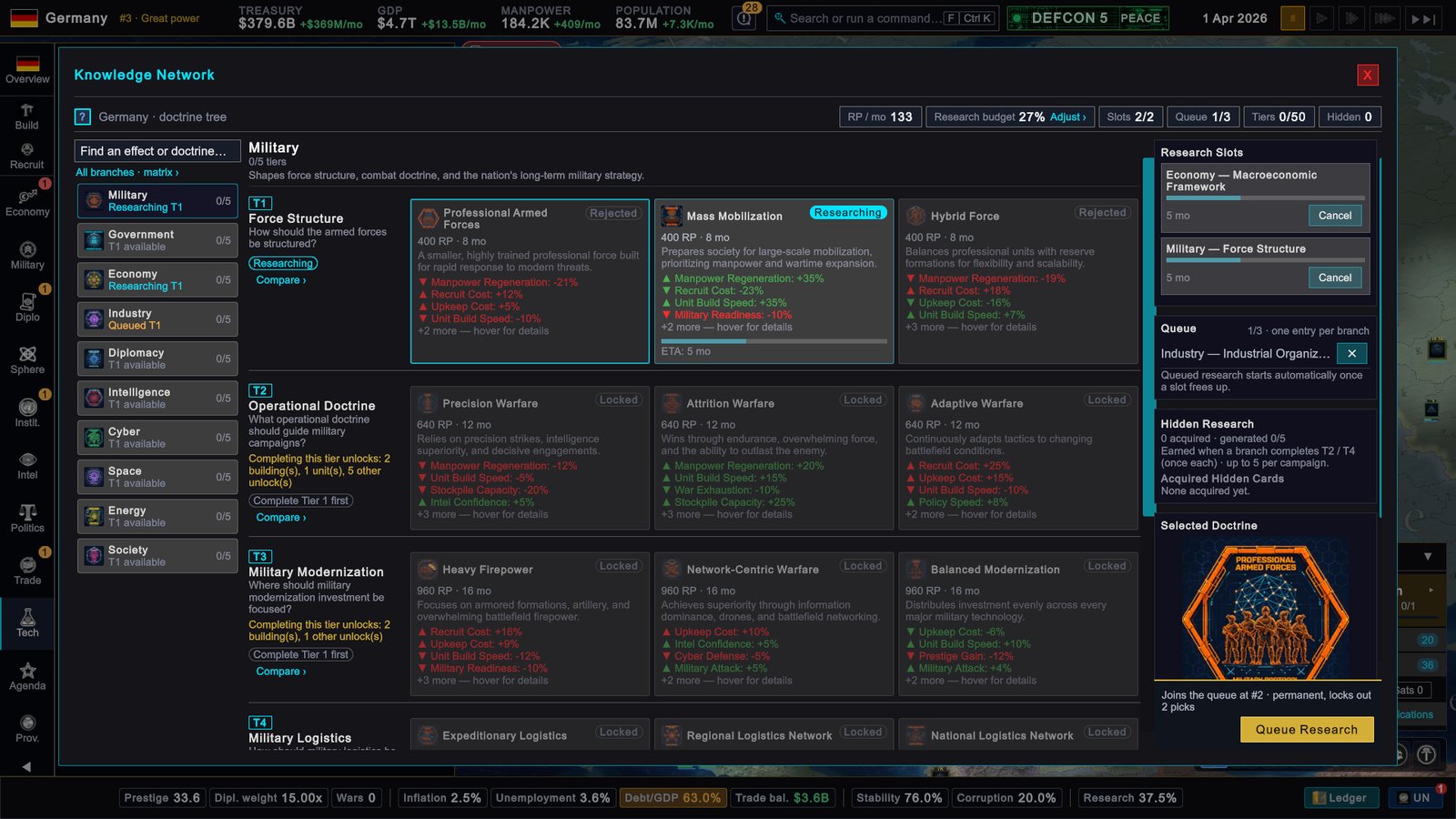
- Left. A search box (Find an effect or doctrine…) that dims everything without a match, and the branch list. Each branch says where it stands: a tier available, researching, queued or complete.
- Centre. The tiers of the selected branch, each with its three doctrine cards. A card shows its state, cost, minimum time and effects.
- Right. Research Slots, Queue, Hidden Research and Selected Doctrine. Selecting a card fills this column with the doctrine’s cost and a Locks out line. The button under it reads Begin Research when a slot is free and Queue Research when both are busy.
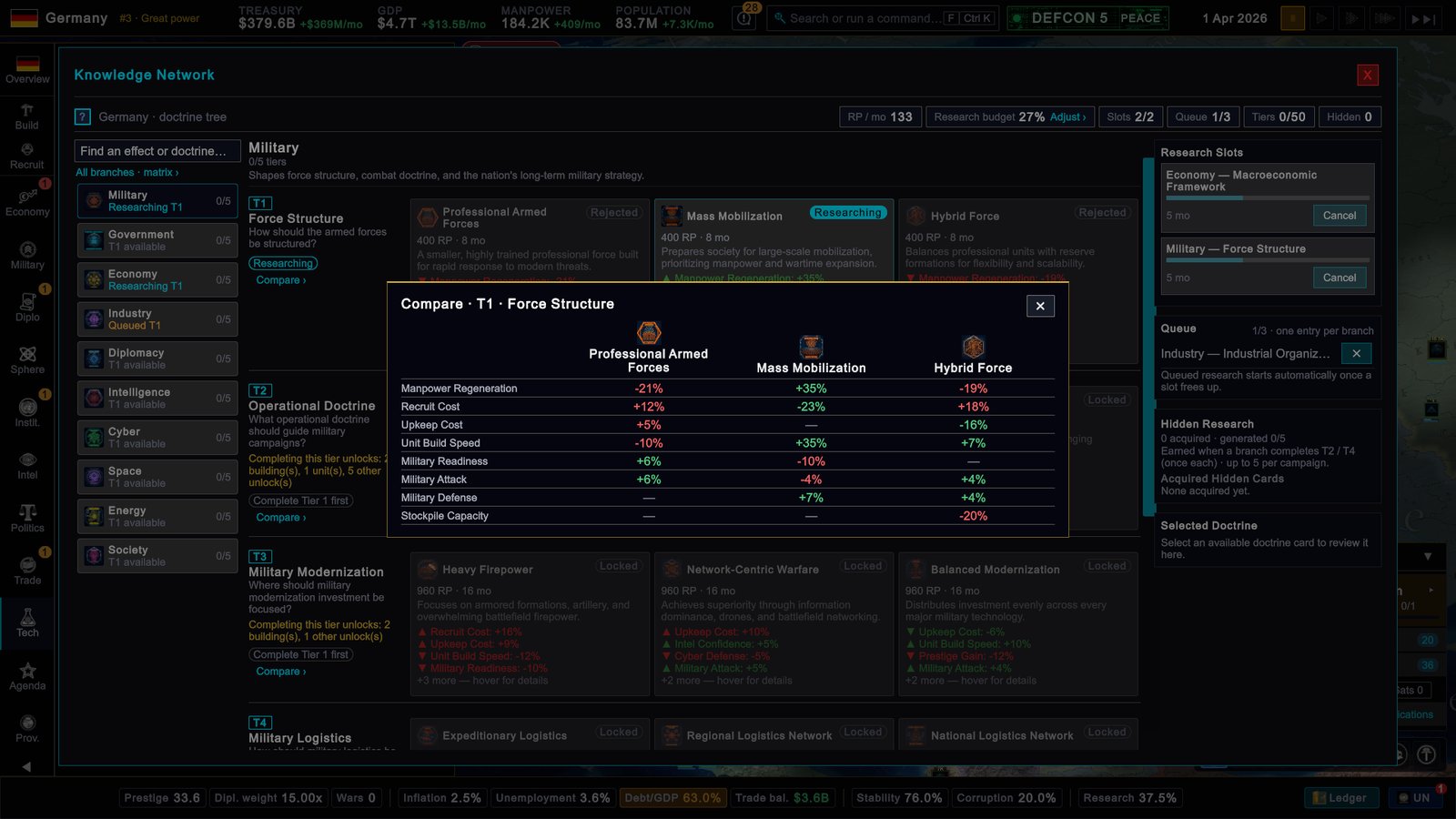
- Compare › on a tier opens a table of its three doctrines side by side, one row per effect.
- All branches · matrix › opens every branch and tier in one table: the doctrine you chose, or researching, queued or available. Click a row to jump to that branch.
On the Technology page, clicking a doctrine icon under Next choices opens the workspace with that doctrine selected. Another country’s research is readable only when your intel on it is good enough; otherwise the page shows Doctrine Intelligence Required.
What to do
- Keep both slots busy. An idle slot wastes time you cannot buy back, because of the minimum time on every tier. Fill the queue so slots refill by themselves.
- Read the red lines. Use Compare › before you commit. A doctrine that boosts attack may cut manpower or raise upkeep for the whole campaign.
- Research for what you want to build. If you plan factories, start Industry early. Missiles need Military tier 2, satellites Space tier 2, intelligence facilities Cyber tier 1.
- Raise points in more than one way. Budget money has diminishing returns, so research buildings and education add more than another budget point once the share is high.
- Finish or spread. Finishing a branch brings its milestone and directives. Spreading across branches reaches tier 2 and tier 4 in more places, which is how Hidden Insights are earned.
Related pages
- Doctrines reference, with a page per branch, for example Military and Industry
- Budget, taxes and debt
- Buildings and construction
- Intelligence and espionage
- Laws