Trade runs on two layers. Your companies trade by themselves every month, and your government trades on top of that with money from the treasury. The first layer needs no orders from you. The second is where you cover a shortage, sell a surplus, sign supply contracts and build up reserves.
Where to find it
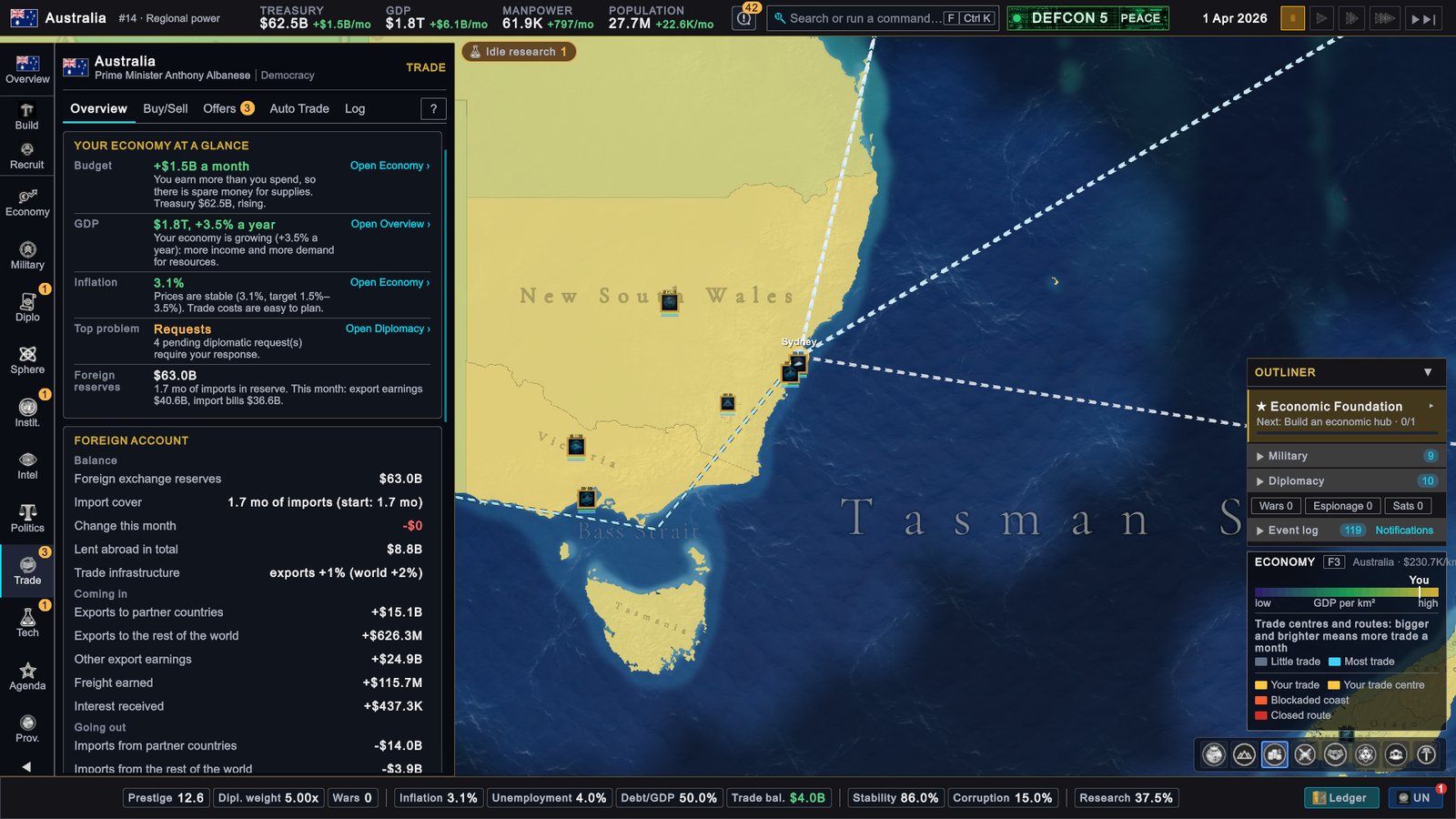
Trade on the rail (X by default) opens the Trade page with five tabs: Overview, Buy/Sell, Offers, Auto Trade and Log. A badge on Offers counts the offers that wait for your answer. While the page is open the map switches to the Economy map mode, which draws trade centres and routes.
How it works
The two layers
| Private-sector trade | State trade | |
|---|---|---|
| Who acts | Your companies, every month | You, or the automatic orders you set up |
| What it does | Imports what the economy is short of and exports its surplus | World-market orders, orders with one country, supply contracts, auto trade, trade agreements |
| Who pays | The foreign exchange reserves | The treasury |
| What the treasury gets | Tariffs on the imports, and handling fees at trade centres in your provinces | The money from what you sell |
Private firms buy first from countries that have the goods to spare, weighing supply, relations and delivered cost. What no partner covers is traded with the rest of the world at the world price. Monthly deliveries arrive when the month closes and can be used from the next month. Orders you place by hand arrive at once.
Overview
- Your economy at a glance gives five checks: budget, GDP, inflation, your top problem and foreign reserves.
- Foreign account shows the money of private trade: reserves, import cover in months, export earnings and import bills.
- Trade centres lists your centres and the world’s busiest.
- Resources has one row per resource: Net (output minus use), Cover (months until the stock runs out) and Stock. A row in shortage has a Find Supply button and a row with a surplus has Sell surplus; both open Buy/Sell with the resource chosen. Covered means your contracts already bring in what is missing.
Buy/Sell
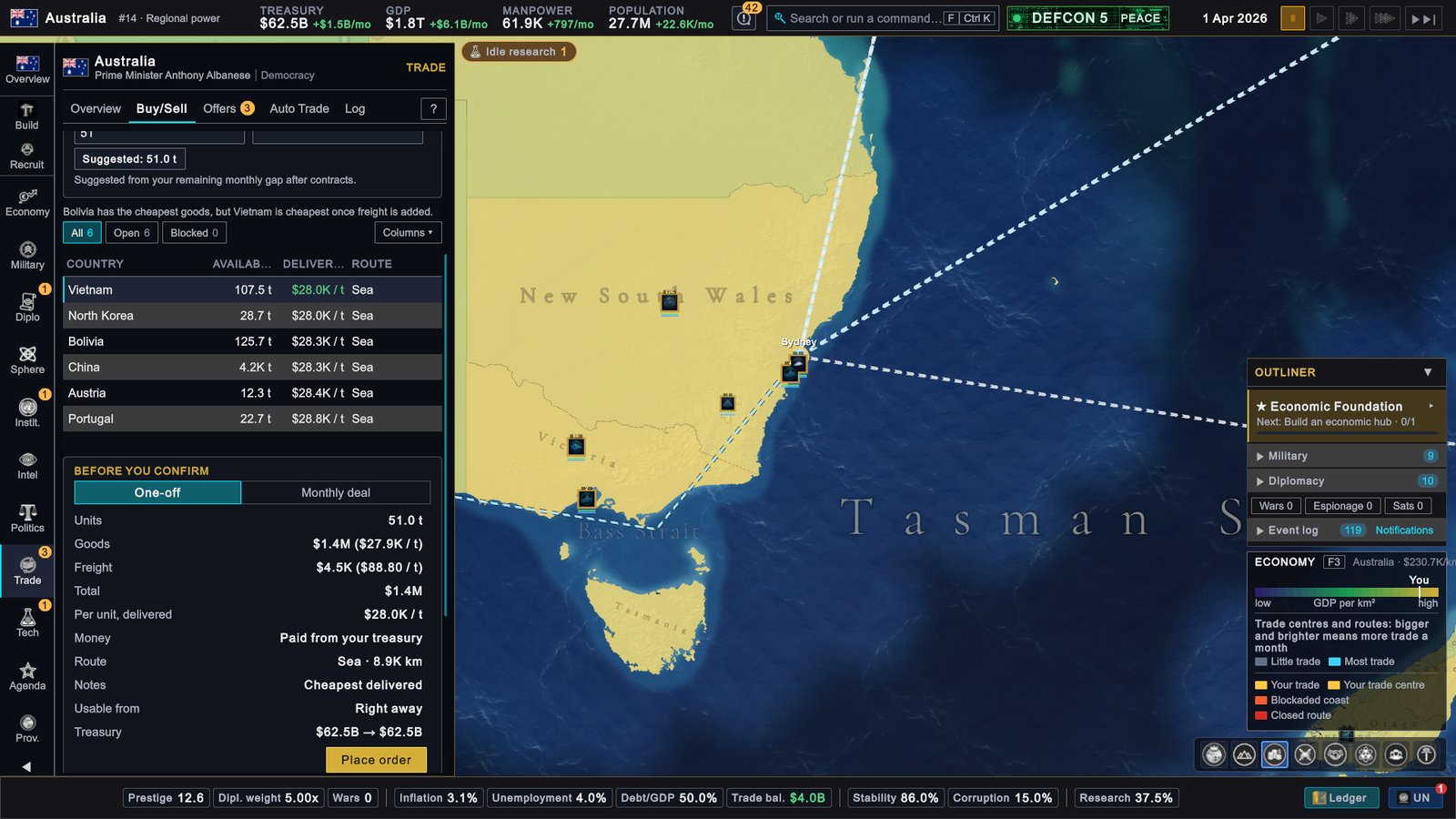
Pick a resource, Buy or Sell, and one of two paths.
- World market. You pay 15% above the world price when you buy and receive 10% below it when you sell; that gap covers fees and freight. A large order moves the price against you, and one order can only be so large.
- Trade with a country. The table lists every country that can spare the resource: Available units, Delivered price (goods plus freight) and Route. It is sorted by delivered price, so a cheap seller far away can rank below a dearer one next door. Blocked countries show the reason: war, sanctions, an embargo, a blockade or no route.
With a country you then choose One-off or Monthly deal. A one-off order with an AI country runs at once, at that country’s own price plus freight. A monthly deal goes out as an offer, and so does any order to a human player. Before you confirm shows the goods, the freight, the total and your treasury before and after.
Offers, counter-offers and what gets accepted
Offers has three views: Incoming (offers that wait for you, and the ones you sent), Active (signed deals, with what was promised and delivered) and Expiring soon. AI countries with reasonable relations send you offers of their own.
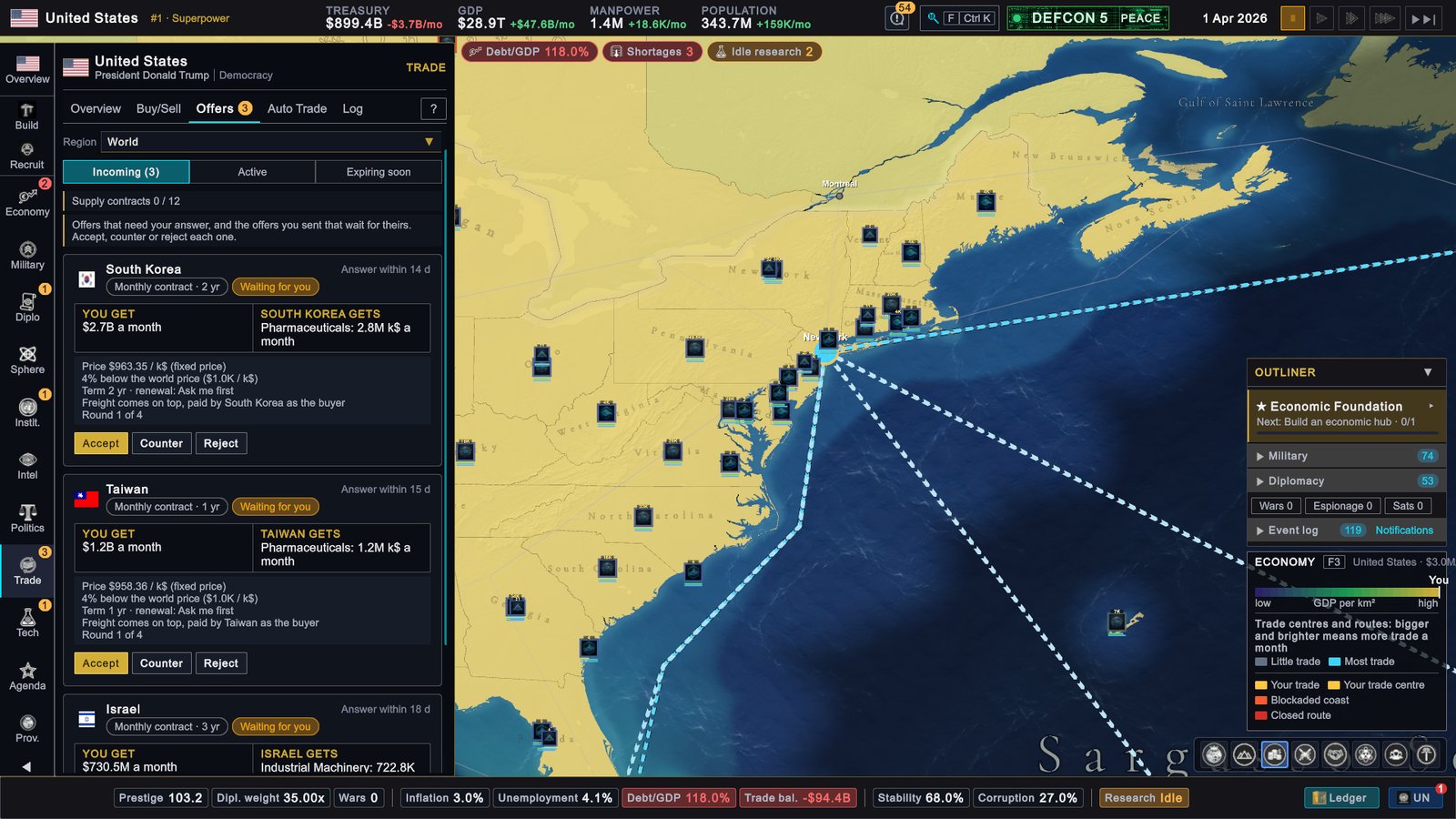
Each card shows what You get and what the other side gets, the price against the world price, the term and the deadline. You can Accept, Counter or Reject. A counter must change the quantity or the price by at least 15%, or change the duration, the price model or the renewal. A negotiation allows three counters. Rejecting lowers your relations with that country a little, and refused terms cannot be sent again for 180 days unless the quantity or the price changes by 15% or more.
An AI country answers at once. It refuses outright if you are at war, if trade between you is blocked, or if it has nothing to spare above its own reserve. Otherwise it weighs three things:
- Price counts most. A seller compares your price with the market price; a buyer compares the delivered price, freight included.
- Relations come second. With better relations it accepts a worse price.
- Need comes third: how short the buyer is, or how much surplus the seller still has.
If it is close to agreeing, it counters with the price it would accept. If you ask for more than it can spare, it counters with a smaller quantity. Otherwise it refuses and gives the reason.
Supply contracts
A supply contract delivers a resource every month for 1, 2, 3, 4, 5, 10 or 20 years. The price is Fixed, or Indexed: re-priced every month with the world price, but held between 60% and 150% of the agreed price. At the end it stops, asks you, or renews by itself, as you chose; the notice comes three months before.
- A country can hold at most 12 supply contracts; the Offers tab shows your count.
- Each month a contract delivers only what the seller can spare above its reserve and what the buyer can pay for and store. The buyer pays goods plus freight.
- While your treasury is under a safety floor (the larger of $5M and half a month’s revenue), contracts deliver less and auto-buy pauses.
- War suspends a contract until peace, with its term paused. Sanctions or an embargo suspend it too, and after three months suspended it ends.
Trade agreements
A trade agreement is a wider deal with one country. Open that country’s card, go to Relations and press OFFER TRADE AGREEMENT. You set the tariff reduction, the export boost and up to eight priority resources. The agreement lowers the tariff on goods traded between the two countries, lifts both countries’ exports, dampens imported inflation, adds a small growth bonus and slowly improves relations. With priority resources, your auto-buy is served from the partner’s surplus first, at the partner’s price and without the world market’s premium.
An AI country accepts when its relations with you are at least 20 (50 if it sees you as a rival) and there is no sanction or trade war between you; an embassy there counts in your favour. Members of some customs unions cannot sign agreements of their own.
Auto Trade and reserve targets
Select a resource on Auto Trade and set a Reserve target in months of use. Buy automatically when short tops the stock up towards the target on the world market: it first covers what you use up each month, then closes part of the remaining gap. Sell automatically above the reserve sells part of the surplus each month. Four optional limits cap the units bought a month, the money spent a month, the price paid and the price accepted.
The reserve target also protects you: deliveries to other countries do not take your stock below it, and Safe to sell on the Overview is what lies above it.
Log
Log records every trade with its partner, total and reason. Private trade appears as one Private sector row a month; click it for each resource.
How relations change prices
Relations do not change the world price or the price of a one-off order. They change who trades with you and what a deal costs: private firms prefer friendlier partners, an AI country accepts a worse price from a friend, and a trade agreement needs good relations to be signed at all. A sanction or a trade war stops trade between two countries.
What to do
- Start from the Overview. Sort by Cover and deal with the shortest ones first.
- Use contracts for steady needs. The world market’s spread makes it the expensive way to cover a permanent shortage.
- Set reserve targets before a war. A stockpile keeps you supplied when a route closes or a partner becomes an enemy.
- Keep the treasury above its floor. Below it, the state stops buying when you need it most.