Buildings are how you change what a province does: more output, a mine on a deposit, a plant that turns raw materials into goods, an airfield, a research lab. Each one is paid for up front, costs upkeep every month, fills one of the province’s building slots and takes months to finish. This page covers what limits construction and how to find the right province for each building.
Where to find it
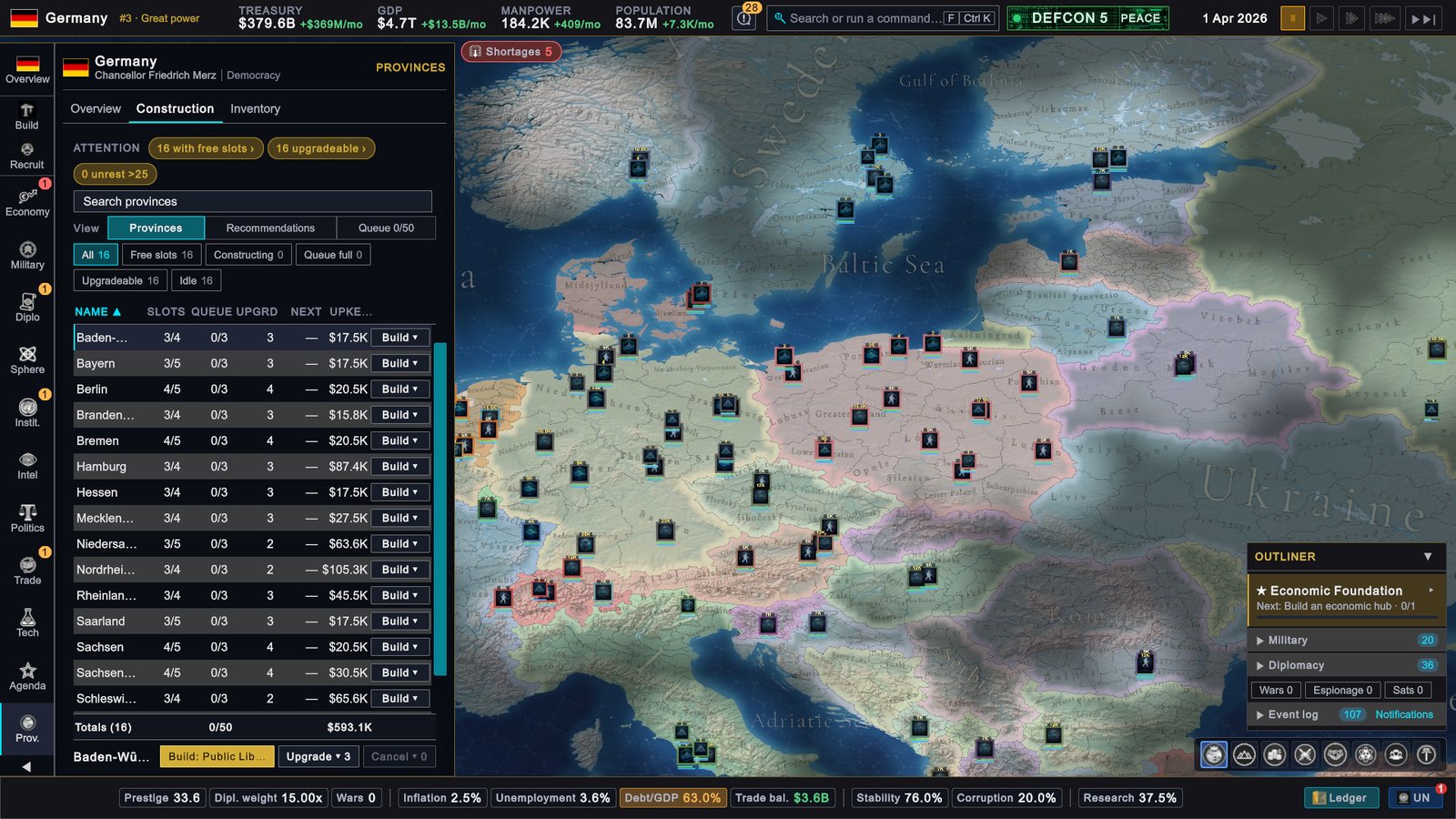
- Build on the rail opens Provinces › Construction in its Recommendations view: the quickest way to queue something useful.
- Provinces on the rail (the button reads Prov.; P by default), then the Construction tab: every province with its slots, queue and upgrades.
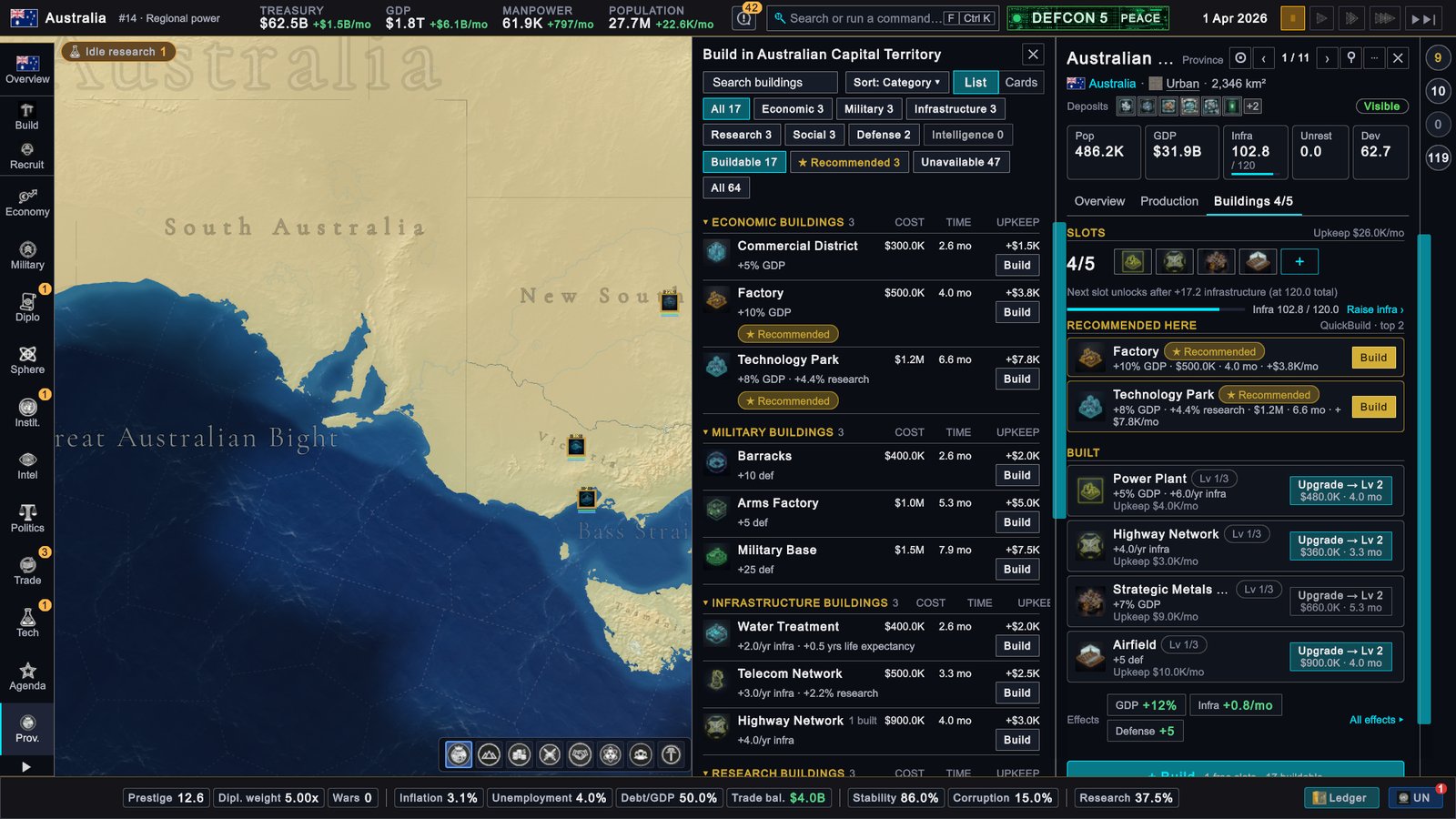
- Click a province on the map. Its panel opens on the right; the Buildings tab shows what stands there, and + Build opens the build picker.
How it works
Building categories
| Category | What it is for | Examples |
|---|---|---|
| Economic | Raises the province’s output | Factory, Commercial District, Technology Park, Trade Port |
| Economic: Extraction | Works a resource deposit | Oil Rig, Iron Mine, Farm Complex, Industrial Fishery |
| Economic: Industry | Turns input goods into other goods | Oil Refinery, Steel Mill, Electronics Assembly, Semiconductor Fab |
| Infrastructure | Raises the province’s infrastructure every year | Power Plant, Highway Network, Telecom Network, Water Treatment |
| Research | Adds research output | University, Research Laboratory, Public Library |
| Social | Health, education and lower unrest | Hospital, Public School, Housing Project |
| Military | Recruiting, basing and strategic weapons | Barracks, Airfield, Naval Base, Missile Silo Complex |
| Defense | Protects the province | Fortress, Bunker Network, Air Defense System, Missile Defense Battery |
| Intelligence | Espionage and counter-espionage | Intelligence Headquarters, Counter-Intelligence Bureau |
Every building, with its price, time, upkeep and effects, is in the Buildings reference table.
What a province needs first
A building can be queued only when every check passes. The build picker prints the first failed check on the building’s row.
- A deposit. Extraction buildings need the matching resource deposit in the province. The row says Deposit here or No resource deposits.
- Coast or terrain. Trade Port, Naval Base, Submarine Pen, Shipyard, Industrial Fishery and Offshore Platform need a coastal province. Plantation and Bauxite Mine need a tropical province, and the Palm-Oil Estate an equatorial one.
- Infrastructure and population. Each building sets a minimum for both. A Factory needs infrastructure 30 and 50,000 people; a Semiconductor Fab needs infrastructure 75 and 200,000 people.
- A doctrine tier. Many buildings need a completed tier in a Knowledge Network branch. The row shows it as a link, for example Requires Industry Tier 1 ›.
- A free slot. Each building fills one slot, and each type has a limit of one to three copies per province.
- Room in the queue. A province holds three projects at once and the whole country fifty. The Queue button on the Construction tab shows the country count.
- Money. The full price must be in the treasury.
Building slots
A province starts with three slots and gains one for every 40 points of infrastructure. Above infrastructure 150 it also gains one for every 25 points. A country with six provinces or fewer gets two extra slots in each province and unlocks further slots at half the infrastructure. The Buildings tab shows how much infrastructure the next slot needs.
Cost, upkeep and time
You pay the price from the treasury when you queue the building. Upkeep starts when it is finished and is charged every month. The confirmation window shows both. The game also warns when the extra upkeep you have queued is more than your monthly surplus; the warning does not stop the build.
A second copy of the same building in the same province costs 50% more and a third costs double. Extra copies also do less: the second gives about two thirds of the effect and the third half. Capacity, such as air wing capacity or missile silos, is not reduced.
Build time is counted in months, and construction advances once a month. Each point of infrastructure speeds it up by half a percent, so the time on a building’s row already fits that province. All projects in a province’s queue progress at the same time.
A country short of crude oil, natural gas, coal, uranium or iron ore builds more slowly, down to half speed at worst. A stockpile that covers three months of the shortfall removes the penalty.
Cancel removes a project and returns the building’s base price; a repeat surcharge is not returned. Demolish… returns only a small part of the price and takes back the infrastructure the building delivered. A province’s last Airfield cannot be demolished while air wings are based there.
Upgrade levels
Most buildings have three levels, a few have five, and a handful stop at one or two. An upgrade costs 60% of the base price, takes about three quarters of the base time and needs no slot. Each level adds 30% to 50% of the base effect, depending on the building. Upkeep grows faster than the effect: level 2 costs about two and a half times the level 1 upkeep, level 3 a little over four times.
Input goods
Industry buildings consume goods. A Steel Mill uses iron ore and coal; an Electronics Assembly uses semiconductors, plastics and copper. Output follows how much of the inputs your country can supply from its own production, its stockpile and its imports. Full coverage gives full output; if less is covered, output falls with it. The Production tab of the province panel shows this as Supply efficiency, and Recommendations flags a weak chain as Supply risk.
A deposit with no extraction building is still worked, but only at a low base rate. The Production tab marks it No extraction site and offers Build extractor ›.
Recommendations
The Recommendations view ranks where to build. It is advice: it does not change any rule above.
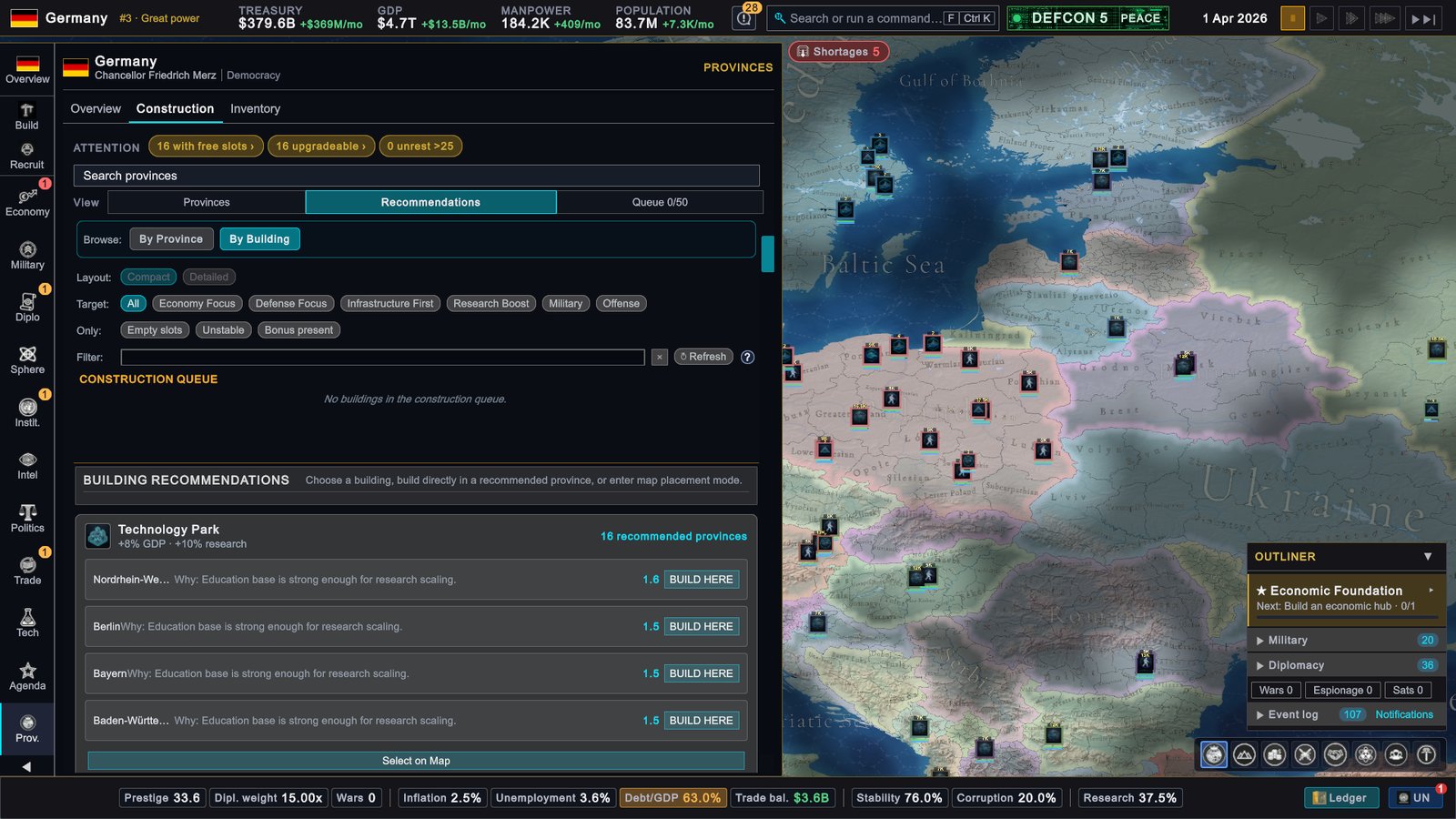
- Browse switches between By Province and By Building.
- Target narrows the advice: All, Economy Focus, Defense Focus, Infrastructure First, Research Boost, Military or Offense.
- Only adds three more filters: Empty slots, Unstable and Bonus present.
- Each row gives a score and a Why line. BUILD HERE queues it; Select on Map lets you click one of the highlighted provinces instead (Esc leaves that mode).
The build picker
+ Build on a province’s Buildings tab opens Build in that province. You can search, sort by category, cost, time or name, and switch between List and Cards. Chips filter by category and by status: Buildable, ★ Recommended, Unavailable and All. Under Unavailable, more chips split the blocked buildings by reason: Needs doctrine, No deposit, Coast or terrain, Slots full and Other. Each row lists cost, time and upkeep. Shift-click Build to skip the confirmation.
What to do
- Raise infrastructure where you plan to grow. A Power Plant and a Highway Network mean more slots, faster construction and more output from everything else in the province.
- Check inputs before you build industry. A plant without its inputs runs below capacity while you pay full upkeep. Build the extraction first, or secure the input through trade.
- Spread copies out. The repeat surcharge and the smaller effect make a second Factory in another province a better buy than a second one in the same province.
- Upgrade when slots run out. Upgrades are cheaper and need no slot, but watch the upkeep.
- Watch the fifty-project limit. In a large country, long projects such as a Semiconductor Fab hold a place in the country queue for a long time.