Events are decisions the world puts in front of you: a border incident, a strike wave, a price shock, a summit invitation. Each one describes a situation and offers two to four answers, and every answer shows what it will change before you pick it. AI countries receive events as well and answer them on their own.
Where to find it
- The popup. You do not open events. A popup opens over the map when one fires for your country.
- The event log. Outliner › Event log lists what happened and what you chose. L by default scrolls the outliner to it.
- The settings. Settings › GAMEPLAY holds Event Popup Level, Pause on Event Popup, Auto-unpause (Events) and Suppress Event Popups.
How it works
What can fire
The label at the top of a popup names its category: GEOPOLITICAL CRISIS, ECONOMIC SHOCK, MILITARY INCIDENT, DIPLOMATIC OPPORTUNITY, TECHNOLOGY BREAKTHROUGH, NATURAL DISASTER, INTERNAL POLITICS or SOCIAL & CULTURAL. Behind those labels there are three kinds of event.
- World flashpoints belong to one country, and most can only start inside a window of dates. EU Common Defense Summit is one of them. If you play the country a flashpoint belongs to, you decide. If the AI plays it, the AI decides and you live with the result.
- Domestic crises come from inside your own country. Most need unrest (public anger in your provinces) above a threshold, and many also need a particular law to be in force. Mass Labor Protests is one of them. The laws you pass therefore shape which crises can reach you. A crisis that has fired cannot return for two to three years.
- Opportunities and shocks can land on any country whose situation fits, such as a windfall for a stable country or a setback for a fragile one. A few are world events: they are rolled once for the whole world, not once for each country.
Most events are rolled by chance each month once their conditions hold, so two campaigns with the same country do not unfold in the same order. No new event is rolled for you while one is still waiting for your answer, and after one fires, about two months pass before the next can be rolled. Follow-up events are not held back by that wait.
The popup
A popup shows the category, a title, a picture, a description and the options.
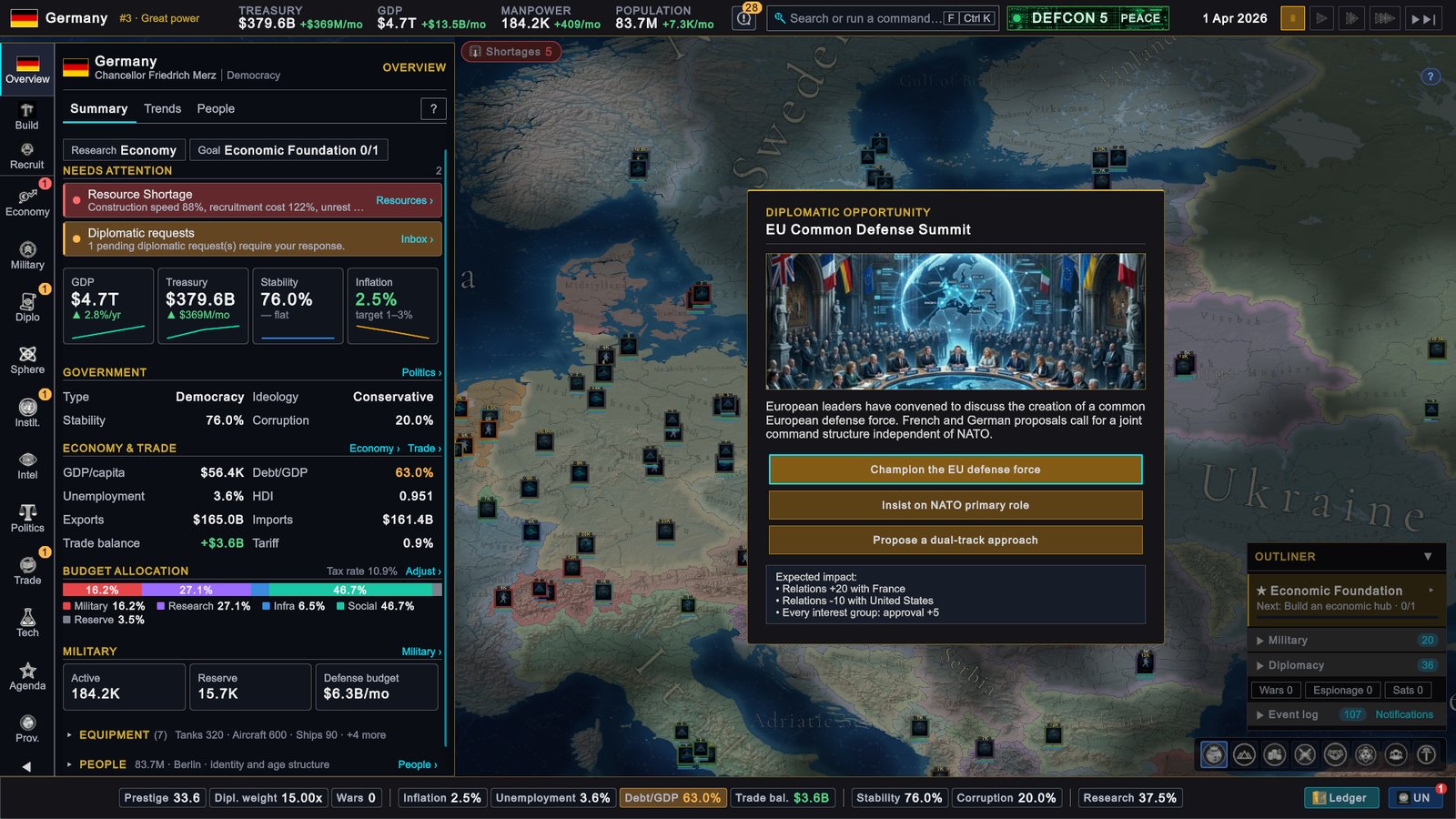
- Hover an option to read Expected impact: under the buttons. It lists what that answer changes, for example stability, GDP growth, the treasury or relations with a named country. An answer that leads to another event says Triggers a follow-up event.
- A greyed-out option cannot be chosen. Its hint starts with the reason, such as “Requires being at war.” or “Relations are too low for this option.”
- The highlighted option is the default. It is the first option you are able to take. It is not a recommendation.
- A timer runs while the clock runs. If a popup stays open with the game unpaused, the line “Auto-selecting default in N day(s)…” counts down from 30 days. At zero the default is chosen for you. Nothing counts down while the game is paused.
Your choice takes effect at once. The ? button in the corner opens a short reminder of how events work.
Escape answers the event. Pressing Esc while a popup is open picks the highlighted default. It does not put the popup away for later.
Pausing
With Pause on Event Popup on, which is the default, the game pauses when an event popup opens. With it off, the clock keeps running and the 30-day timer starts at once. An event added by a mod can behave differently: it pauses when its category is GEOPOLITICAL CRISIS, MILITARY INCIDENT, NATURAL DISASTER or INTERNAL POLITICS, or when its author marked it to pause.
While a popup that paused the game is open, the speed controls refuse to resume and tell you to “Resolve the pending event before resuming time.” With Auto-unpause (Events) on, which is also the default, the game returns to its earlier speed when you answer. If you had paused the game yourself before the popup opened, it stays paused.
Which events interrupt you
Event Popup Level decides which categories still open a popup.
| Level | Popups you still get |
|---|---|
| All (default) | Every event |
| Important Only | Everything except SOCIAL & CULTURAL and TECHNOLOGY BREAKTHROUGH |
| Critical Only | GEOPOLITICAL CRISIS, MILITARY INCIDENT, NATURAL DISASTER and INTERNAL POLITICS |
An event that is filtered out is not skipped. It is answered for you with its first option and written to the event log. Suppress Event Popups goes further while Event Popup Level is All: no popup opens at all, and every event takes the first option you are able to take. With a narrower level chosen, the level decides, and the events it lets through still open a popup.
Event chains
Some answers schedule a second event a month or two later, and it may be addressed to another country. A crisis you escalate can come back as a harder question, or as a question for a neighbour. Because the follow-up depends on the answer, the same flashpoint can lead to different stories.
The event log
The Event log section of the outliner keeps the most recent 200 entries and lists the newest 50 that match the filter you picked: ALL, MIL, ECON, DIPLO, POL, INTEL, CRISIS or TECH. Every event you answer is recorded as “title — you decided” with the option you took. One that the timer or Suppress Event Popups answered is recorded as “title — default auto-selected”. One that Event Popup Level filtered out is recorded under its title alone. The log also carries other news from the world, such as answers to your trade offers.
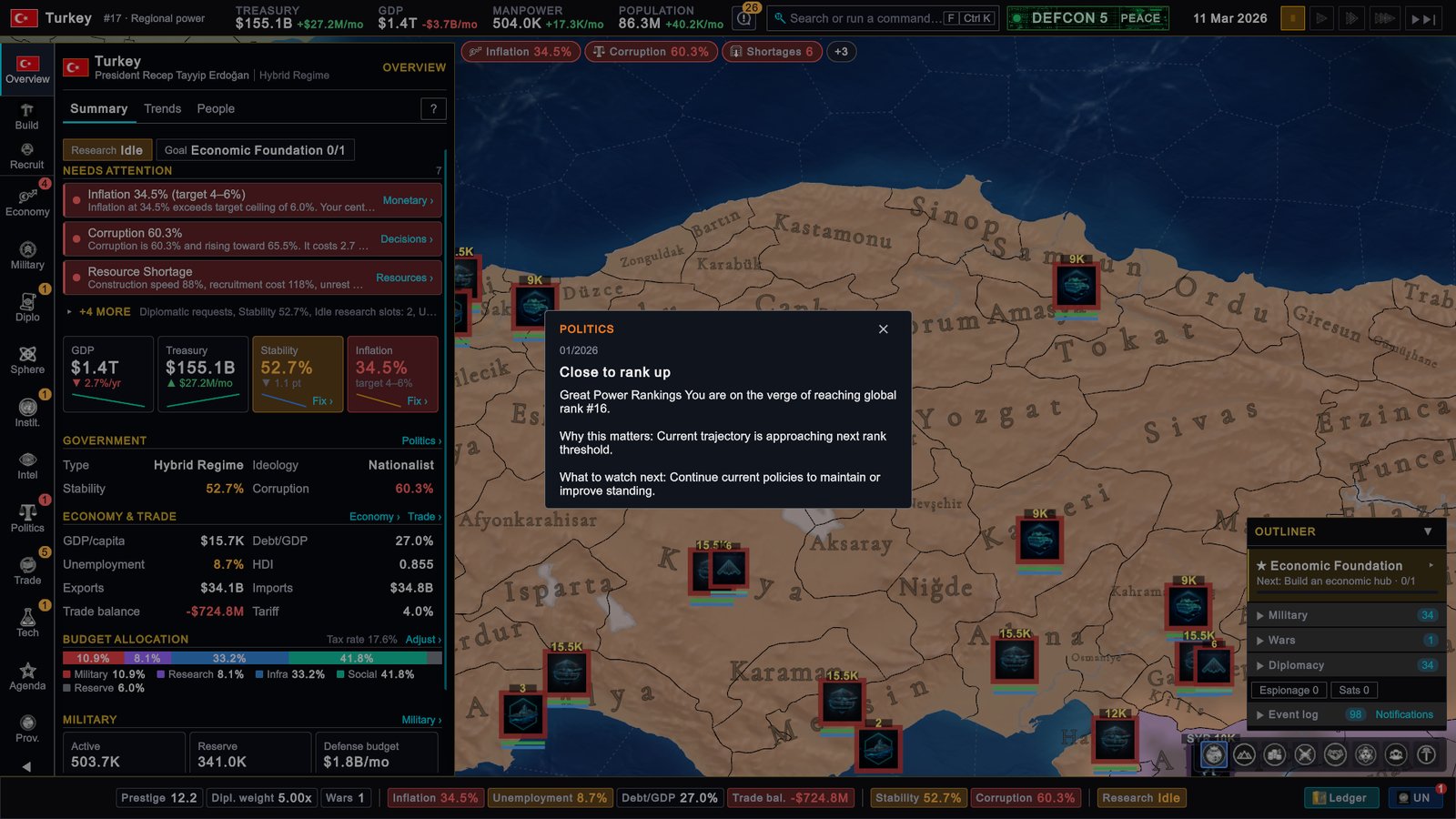
Click an entry to open its detail card: what happened, then Why this matters: and What to watch next:.
What to do
- Read the impact of every option. The default is only the first option in the list. The answer that suits your plan may be further down.
- Keep Pause on Event Popup on until you know the game. With it off, 30 days pass quickly at high speed, and an unanswered event takes its default.
- Prefer Important Only to Suppress Event Popups if popups come too often. Both answer for you, so the more you filter, the more decisions you hand away.
- Treat domestic crises as a symptom. They need high unrest, so lowering unrest closes the door on most of them. If one keeps returning, check which law it is tied to.
- Check the log after a busy month. It is the only place that shows what was answered on your behalf.
- In multiplayer, answer quickly. Only the host controls the clock. A popup on the screen of any other player does not stop time, so the 30-day timer is running.